

Getting mobile game installs through Google Ads is straightforward, relatively. Now getting installs from players who stay, continue to engage, and eventually spend is much much harder.
Google UAC, formerly known as Universal App Campaigns, is now called Google App Campaigns. These automated campaigns help game developers and publishers acquire new players across Google's advertising network, including Google Search, Google Play, YouTube, and the Google Display Network.
Automation changes how we manage user acquisition. Instead of constantly adjusting bids and targeting manually, we need to give Google's machine-learning system the right conversion signals, creative assets and campaign objectives. We also need to understand whether the users it acquires are valuable enough to justify the spend.
A campaign can generate a low cost per install (CPI) and still underperform if players stop playing after one session. Another campaign might have a higher CPI but acquire players who return, progress through the game and generate revenue.
At The Game Marketer, we approach mobile user acquisition by connecting creative performance, acquisition costs, player behaviour, and monetisation. The goal is not simply to increase downloads. It is to build a campaign that can scale while meeting the game's commercial objectives.
This guide explains how to set up Google UAC for mobile games, choose the right bidding strategy, test creative assets and use in-app events to improve campaign performance.
What Is Google UAC for Mobile Games?
Google UAC was the former name for Google App campaigns. Although Google changed the product name, UAC remains a familiar search term among mobile marketers and game studios.
Google App campaigns automate much of the bidding, targeting and ad placement process. You provide the app details, campaign objective, budget, conversion tracking and creative assets. Google's system then uses available signals to find users who are more likely to complete the action you have selected.
For mobile game developers and publishers, the main objectives include:
- Acquire new players: Generate installs at a target cost.
- Find more engaged users: Acquire players who complete important in-game actions.
- Increase revenue: Optimise towards measurable in-app purchase or advertising revenue.
- Re-engage existing players: Encourage previous users to return and play again.
- Generate pre-registrations: Build interest before an eligible Android game launches.
The right objective depends on the game's stage, monetisation model and available conversion data. A new casual game with little revenue history needs a different approach from an established RPG with reliable purchase and retention data.
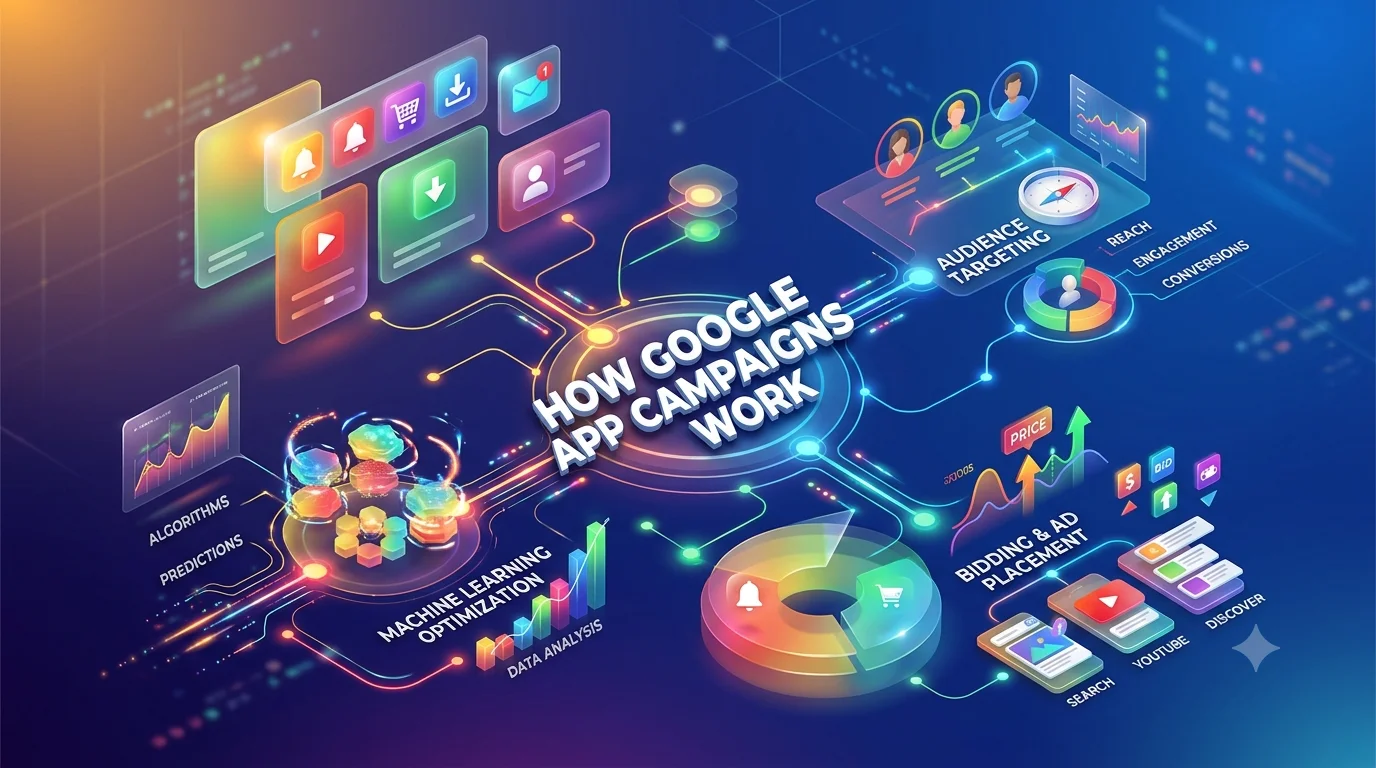
How Google App Campaigns Work
Google's machine-learning system uses the campaign objective, conversion history, creative assets and available user signals to determine how ads are delivered and how bids are adjusted.
This means that campaign optimisation is not simply a matter of changing bids whenever CPI increases. The first step is to identify which part of the acquisition process needs attention.
There are four main areas to manage:
- Campaign objective: Define whether you want installs, in-app actions, revenue or re-engagement.
- Conversion signals: Send reliable data about installs, progression events and revenue.
- Creative assets: Provide different videos, images and text that communicate the game's appeal.
- Budget and bidding: Set realistic targets and allow sufficient time for conversion data to accumulate.
Google automates delivery, but it cannot compensate for unreliable tracking, misleading creative or an optimisation goal that does not reflect the value of the players you acquire.
Which Google App Campaign Type Should You Use?
Google provides different App campaign types for acquiring new users, re-engaging existing users and generating pre-registrations.
The available bidding strategies and budget recommendations differ by campaign type. Choose the campaign based on the result you need rather than assuming that every mobile game should optimise for installs.
For a new game, an install-focused campaign can provide initial acquisition data. An established game with reliable conversion and revenue tracking may be better suited to in-app action or value-based optimisation.
Google UAC Setup for Mobile Games: Step by Step
A successful campaign starts with measurement and commercial planning, not just the campaign creation screen.
Step 1: Define Your User Acquisition Goal
Before launching a campaign, decide what you want each acquired player to do.
The available settings depend on the campaign type, platform and account configuration.
For a new game, install volume can help establish initial acquisition benchmarks. As more data becomes available, you can assess whether optimising towards an in-game event or revenue is more appropriate.
Do not choose a purchase event simply because purchases generate revenue. If very few users complete that event, the campaign may not receive enough conversion signals to optimise effectively.
Step 2: Set Up App Conversion Tracking
Conversion tracking is one of the most important parts of Google UAC setup.
At a minimum, track installs. Where possible, also track events that show whether a player is progressing through the game and generating value.
Useful events include:
- Tutorial completion
- First level completed
- Account registration
- Reaching a key progression milestone
- First in-app purchase
- Purchase value and total revenue
- Advertising revenue generated inside the game
- Day 1, Day 7 and Day 30 retention, measured in your analytics platform
You do not need to make every event a Google Ads optimisation goal. You need enough reliable measurement to understand the quality of acquired players and select an appropriate event for bidding.
You can use Firebase and Google Analytics for Firebase, or an appropriate mobile measurement partner, to support app measurement. Make sure events are mapped correctly into Google Ads and that you understand which conversion actions are included in bidding.
For revenue optimisation, check that purchase values and currencies are passed correctly. If every purchase is recorded at the same default value, Google may optimise towards misleading revenue signals.
Also verify conversion windows, event duplication and attribution differences between Google Ads and your mobile measurement partner before judging performance.
Choose an In-App Event With Enough Conversion Volume
The most valuable event is not always the best event to use when a campaign first launches. A first purchase may be commercially important, but if very few users make a purchase, Google may have limited data to optimise towards that action.
Google's App campaign setup guidance recommends selecting an in-app action completed by at least 10 different users per day in the campaign when choosing an event for optimisation.
Treat this as a practical starting point, not a guarantee of performance. The required volume depends on the campaign, event and available data.
For a mobile game, compare candidate events such as tutorial completion, reaching a progression milestone, and making a purchase. Choose an event that occurs often enough to support optimisation while providing a meaningful indication of player quality.
If you eventually want to optimise towards revenue, verify that purchase values are passed correctly and that the selected bidding strategy has the conversion data it needs.
Step 3: Select Your Target Countries and Languages
Start with markets where your game is available and where the expected player value supports your acquisition costs.
For each market, consider:
- The game's supported languages
- The size of the addressable audience
- Expected CPI and monetisation potential
- Local purchasing power
- Player retention and conversion rates
- The game's cultural and creative fit
Avoid choosing a country simply because installs are cheap. A market with a low CPI can still be unprofitable if users generate little revenue or fail to return.
Likewise, avoid splitting a limited budget across too many countries and campaigns if doing so prevents each campaign from collecting sufficient conversion data.
For games with meaningful differences between markets, separate campaigns can make budgets and performance easier to manage. However, the structure should reflect genuine differences in objectives, economics or localisation rather than unnecessary fragmentation.
Avoid launching competing App campaigns targeting the same geographic area without a clear reason. Overlapping campaigns can compete for the same opportunities and make results harder to interpret.
Step 4: Set Your Google App Campaign Budget
Your daily budget needs to support the bidding strategy and generate enough conversion data for Google's system to optimise delivery.
Google's recommended bid-to-budget ratios vary by campaign type.
These are Google's recommended starting ratios, not guarantees that a campaign will reach its target or spend its entire budget efficiently. Check the current guidance for the campaign type and bidding strategy you select.
For example, if your install campaign has a target CPI of £2, Google's guideline suggests a daily budget of at least £100.
That does not mean you must spend £100 every day regardless of results. Your budget should also reflect your available funds, expected conversion volume and the commercial value of the users you acquire.
Plan for daily spend variation, too. Google can spend up to twice your average daily budget on a high-traffic day. Account for this when forecasting short-term cash flow, while remembering that Google applies separate billing limits over its billing period.
Check the campaign's status for issues such as “Limited by budget” or bid constraints before increasing spend. If delivery is restricted by an overly ambitious target, increasing the budget alone may not solve the problem.
Google UAC Bidding Strategies: Target CPI vs Target CPA vs Target ROAS
Choosing the right bidding strategy determines what Google is trying to achieve with your budget.
The best option depends on your conversion data, the events you can measure reliably and how your game generates revenue.
Target CPI: When Installs Are the Priority
Target cost per install (tCPI) is useful when you need to acquire new players at a defined average cost.
You set the average amount you are willing to pay per install, and Google's bidding system works towards generating installs around that target.
This can be suitable when:
- Your game has just launched.
- You have limited in-app purchase data.
- You need to establish initial acquisition benchmarks.
- You are testing whether your creative and store listing attract the right audience.
The limitation is that CPI alone does not tell you whether the players are valuable.
Suppose Campaign A delivers installs at £1.20, while Campaign B delivers them at £1.80. Campaign A appears more efficient. But if its players stop playing after one session and Campaign B attracts players who return and spend, Campaign B may produce a better commercial result.
That is why we assess CPI alongside retention, monetisation and lifetime value (LTV).
Target CPA: When You Want a Specific In-Game Action
Target cost per action (tCPA) is appropriate when the objective is to acquire users who complete a particular event after installation.
For example, a studio may want to acquire players who complete a tutorial, reach a progression milestone or make their first purchase.
The event must be meaningful and measured consistently. An event that happens frequently but has little relationship with long-term value can produce misleading results.
For tCPA campaigns, Google recommends selecting one primary in-app action unless the actions have equivalent value. Combining events with very different commercial importance can create a blended target that is difficult to interpret.
Before switching from install optimisation to an in-app action, check that the event has enough conversion volume to provide useful data.
Target ROAS: When Revenue Matters More Than Install Volume
Target return on ad spend (tROAS) is designed to optimise towards the value generated by acquired users relative to advertising spend.
It is particularly relevant for games with in-app purchases, advertising revenue or a combination of monetisation methods, provided those values can be measured and passed into Google Ads correctly.
For example, suppose a campaign spends £10,000 and generates £15,000 in attributed revenue within the measurement window.
[
\text{ROAS}=\frac{£15,000}{£10,000}\times100=150%
]
A 150% ROAS means the campaign generated £1.50 in attributed revenue for every £1 spent on advertising during that window.
It does not mean the campaign made a profit. Development costs, platform fees, live operations and other expenses still matter.
For tROAS campaigns, choose a target based on observed performance and the game's payback requirements, rather than setting an ambitious target without enough historical data.
Google's current guidance supports tROAS for eligible App campaigns focused on in-app action value. The exact options available depend on the campaign configuration and measurement setup.
How to Choose an Initial Target ROAS
Avoid setting a target ROAS based solely on the return you would like to achieve. Start with actual campaign performance wherever comparable data is available.
Google recommends using the achieved ROAS of a comparable campaign as a starting reference. Ideally, that campaign should promote the same app, optimise towards the same in-app event and use the same location and language targeting settings.
For example, if a comparable campaign has achieved a 150% ROAS over the relevant conversion window, that result can provide a starting reference for your new target. It is not a guarantee that the new campaign will achieve the same return.
Before changing the target, account for conversion delays. Recent spend may be visible before all attributed revenue has been reported, making performance appear weaker than it eventually will.
A more demanding ROAS target can restrict the volume of users the campaign can acquire. Balance your return target against the amount of growth you need and the game's acceptable payback period.
Which Bidding Strategy Should You Choose?
The important point is not to move towards the most advanced bidding strategy as quickly as possible. It is to use the strongest objective that your measurement and conversion volume can support.
Google App Campaign Creative Best Practices for Mobile Games
Creative assets have a direct influence on who engages with your campaign. They also help Google's system build different ad combinations for different placements.
For mobile games, creative testing should focus on gameplay, player motivation and the reasons somebody would install the game.
1. Show Real Gameplay Early
The opening seconds of a video should make the game's core appeal clear.
Depending on the genre, this might be a satisfying puzzle solution, a difficult boss encounter, a strategic decision or a fast progression sequence.
Avoid spending too much of the video on logos, long introductions or cinematic footage that does not explain what players will actually do.
A strong creative should answer three questions quickly:
- What kind of game is this?
- What makes playing it interesting?
- Why should somebody install it now?
The answer will differ between a casual puzzle game and a mid-core RPG. Creative strategy should reflect the actual player experience.
2. Build a Varied Set of Video Assets
Do not rely on a single trailer or one successful video.
Prepare assets with different:
- Opening hooks
- Gameplay moments
- Video durations
- Visual styles
- Orientations
- Calls to action
Google recommends providing varied video assets, including portrait, square and landscape formats, so campaigns can serve across different placements.
For mobile games, test gameplay-led videos against narrative-led concepts, challenge-based hooks and character or progression-focused creative. Keep the underlying game experience accurate so that the people who install know what they are getting.
3. Use Images and Text That Work Together
Images should communicate the game's visual identity and appeal clearly, even when shown in a small placement.
Text assets should be distinct rather than slight variations of the same sentence. One headline might focus on strategy, another on progression and another on a distinctive game mechanic.
For example, a strategy game could test messages around building an empire, planning battles or defending territory, provided these features genuinely exist in the game.
Google's asset reporting can help you compare the relative performance of submitted assets. Use the ratings alongside actual campaign results, rather than treating an individual asset rating as a complete measure of profitability.
4. Test Playable Ads Where They Fit the Game
Playable ads let users interact with a short version of a game before installing it.
They can be particularly useful when the core mechanic is easy to demonstrate in a short session. A puzzle game might let users complete a small challenge, while a strategy game could introduce a simple tactical decision.
Playable assets are not necessary for every game. They can require additional production and testing, so prioritise them when interactivity is likely to communicate the game's appeal better than a standard video.
For more on choosing formats for mobile game advertising, see our guide on how to choose the right ad format for your mobile game.
5. Organise Creative Assets Around Clear Themes
Asset groups should contain creative that works together around a particular game feature, message or audience need.
For example, an RPG could use distinct creative themes for combat, character progression and collection mechanics. Each theme should have enough supporting text, images and videos to give the system meaningful combinations to test.
Avoid putting unrelated messages into a group simply to maximise the number of assets. Equally, avoid creating so many narrowly defined groups that each receives too little delivery data.
Keep proven evergreen creative available while introducing new concepts in a controlled way. Replace assets based on sustained performance and the need for fresh creative, rather than removing every asset that initially receives a low rating.
How to Interpret Google App Campaign Asset Ratings
Google's asset ratings help you compare creative assets, but they are not a direct measure of profitability.
A “Good” or “Best” rating indicates relative performance against comparable assets. It does not necessarily mean the asset generates the highest-value players or the best ROAS.
Use asset ratings alongside available campaign metrics, install conversion rates and post-install performance. If an asset attracts many installs but those users rarely return or spend, its acquisition volume alone should not determine whether you keep scaling it.
Google recommends reviewing asset performance over an appropriate date range and providing a variety of assets. Avoid removing creative solely because of a temporary rating.
How to Optimise Google UAC and Reduce CPI
Once a campaign is running, optimisation is about understanding why performance changes and deciding which input needs attention.
A lower CPI is useful only when it supports the game's wider acquisition and monetisation goals.
1. Evaluate CPI Alongside Player Quality
CPI measures the cost of acquiring an install. It does not measure how long the player stays or how much revenue they generate.
Monitor CPI alongside:
- Tutorial completion rate
- Day 1 and Day 7 retention
- Progression through important levels
- First-purchase conversion rate
- Revenue per user
- ROAS over a consistent measurement window
For example, a sudden reduction in CPI may reflect more efficient acquisition. It could also indicate that the campaign is attracting a broader group of users who are less likely to engage with the game.
Compare cohorts over an appropriate period before concluding that a change has improved performance.
Our guide to what is a good CPI for mobile games explains why acquisition costs need to be assessed against genre, platform, market and player lifetime value.
2. Use Creative Testing to Improve Install Efficiency
If CPI rises, do not immediately lower the bid or change several campaign settings.
First, investigate the creative funnel:
- Are impressions generating enough clicks?
- Are users clicking but failing to install?
- Are particular creative themes attracting lower-quality users?
- Are the assets becoming less effective over time?
- Does the store listing match the promise made by the ad?
A weak click-through rate may indicate that the opening hook or message needs work. A strong click-through rate with a weak install conversion rate may point to a mismatch between the ad and the store listing, or to low install intent.
These are diagnostic clues, not definitive conclusions. Check the available data before changing the campaign.
Our article on mobile game ad psychology to lower CPI and boost installs covers how curiosity, gameplay challenges and clear creative messaging can influence ad response.
3. Feed the Campaign Better In-App Event Data
If the campaign is generating installs but not valuable players, review your conversion signals.
Check whether the events being sent to Google Ads reflect meaningful player behaviour. Confirm that events fire correctly, are not duplicated and have the right values attached where needed.
You should also compare the quality of acquired users across campaigns and markets. If one segment generates a lower CPI but significantly weaker retention, the cheapest installs may not be the best choice for scaling.
Where the game has enough reliable data, testing optimisation towards a meaningful progression event or revenue value can help align acquisition with commercial goals.
Do not change the optimisation event repeatedly in response to a few days of weak results. Make sure the alternative event has enough conversion volume and a clear relationship with player value.
4. Give the Campaign Time to Stabilise
Google App campaigns use historical performance and new conversion data to adjust delivery. Large or frequent changes can interfere with this process.
Avoid repeatedly changing budgets, target bids, locations and optimisation goals at the same time. If results change, you need to be able to identify which adjustment may have contributed.
Google's guidance advises against drastic changes while a campaign is running. Its recommendations include avoiding budget or target CPI changes greater than 20% where possible. Treat this as a maintenance guideline, not a universal rule that overrides urgent business needs or account-specific circumstances.
Use a consistent reporting window and account for delayed installs, in-app actions and revenue before deciding whether performance has improved.
5. Scale Budgets in Line With Performance
When a campaign meets its goals, increasing the budget can help it acquire more players. However, higher spend does not guarantee that CPI or ROAS will remain unchanged.
As delivery expands, the system may reach users with different conversion probabilities. Monitor whether the additional spend continues to generate players at an acceptable cost and quality.
Scale in measured steps, make changes deliberately and allow the campaign to gather enough new data before making another major adjustment.
If a campaign cannot spend its budget, investigate whether the target is too restrictive, conversion volume is insufficient or the available creative assets limit delivery. Increasing the budget alone will not solve every delivery problem.
How to Measure Google UAC Performance for Mobile Games
Use a reporting framework that separates acquisition efficiency from player quality and commercial return.
A Practical Weekly Optimisation Routine
Daily: Check spend, delivery, tracking issues and major performance changes. Avoid reacting to normal short-term fluctuations.
Every 3 to 7 days: Review creative performance, CPI, conversion rates, event volume and market-level results. Identify patterns that justify investigation.
Weekly: Review retention and revenue for cohorts old enough to provide meaningful data. Compare results with the campaign objective and acquisition targets.
When scaling: Check whether additional spend is producing acceptable incremental player value. Review the impact of each major change before making the next one.
The exact frequency should reflect the campaign's spend and conversion volume. A campaign generating hundreds of installs per day can provide useful feedback sooner than one generating only a handful.
Google UAC Setup Checklist for Mobile Games
Before launching a Google App campaign, check that:
- The campaign objective matches the game's current growth goal.
- Install and relevant in-app conversion tracking have been tested.
- Purchase events pass accurate revenue values and currencies.
- The target CPI, CPA or ROAS reflects available performance data.
- The daily budget follows the appropriate bid-to-budget guidance.
- Target countries and languages match the game's availability and audience.
- Video, image and text assets communicate the actual gameplay.
- Creative assets cover suitable formats and distinct messaging angles.
- The app store listing matches the promise made in the ads.
- Reporting includes CPI, retention, revenue and ROAS where relevant.
- The evaluation window accounts for conversion delays.
- Changes to budgets, bids and conversion goals are documented.
Once the campaign is live, monitor delivery and tracking daily, but base major optimisation decisions on sufficient data rather than reacting to every short-term fluctuation.

Common Google UAC Mistakes Mobile Game Studios Should Avoid
Optimising for Installs Indefinitely
Install volume is useful for building a player base, but it should not automatically remain the primary goal once reliable data shows which users are more valuable.
Choosing an In-App Event With Too Little Volume
A rare event may be commercially important but unsuitable as an initial optimisation signal. Start with an event that occurs frequently enough to support optimisation, then progress towards more valuable actions as the data allows.
Making Frequent Bid and Budget Changes
Repeated adjustments make it harder to understand performance and can disrupt the campaign's learning process. Use evidence to justify changes.
Replacing Creative Assets Without a Clear Reason
A low asset rating is a useful prompt for investigation, not proof that the asset is commercially worthless. Compare available performance data and introduce replacements in a controlled way.
Treating Cheap Installs as Profitable Growth
A low CPI does not guarantee strong retention or revenue. Evaluate the quality and value of acquired players before scaling.
Ignoring Attribution Differences
Google Ads, analytics platforms and mobile measurement partners may report different conversion totals because of attribution rules, reporting windows and measurement methods. Understand these differences before making budget decisions.
Launching Competing Campaigns in the Same Market
Overlapping campaigns can compete for similar opportunities and complicate performance analysis. Before creating another campaign, check whether a separate objective, market, audience or testing requirement justifies it.
How The Game Marketer Approaches Mobile Game User Acquisition
At The Game Marketer, we approach paid acquisition as part of a wider growth strategy, connecting creative development, paid media, ASO and post-install performance.
Our video game paid media service covers user acquisition across platforms including Google, Meta, TikTok and Apple Search Ads. We build campaigns around the game's audience, commercial goals and available performance data, then use testing and reporting to guide optimisation.
Our work with Abyss included paid media acquisition across Google, Facebook, TikTok, Unity, Mintegral and Apple Search Ads, alongside creative support and ASO. The campaign used CPI and average revenue per user (ARPU) targets, with testing across audiences, markets and creative assets. The project also achieved Top 10 rankings for several strategic short-tail keywords over a six-month ASO campaign.
For PlayCrowd, our paid media and influencer work supported the app's growth objectives. The campaign generated 7 million impressions, 320,000 clicks and a 90% increase in downloads. The work included producing video and GIF assets, evaluating audiences and analysing campaign performance.
These projects illustrate why user acquisition should not be judged by one metric alone. Creative, channel selection, measurement and post-install behaviour all influence the outcome.
Results from individual campaigns are not a guarantee of what another game will achieve. The right approach depends on its genre, audience, monetisation model and stage of growth.
FAQs About Google UAC for Mobile Games
What Is Google UAC in Mobile Game Advertising?
Google UAC, short for Universal App Campaigns, was the former name for Google App campaigns. These automated campaigns promote mobile apps across Google's advertising network. Game developers use them to acquire installs, attract users likely to complete in-game actions, optimise towards revenue or re-engage existing players.
Is Google UAC Still Used?
Google now calls the product App campaigns rather than Universal App Campaigns. However, UAC remains a familiar term among advertisers and is still useful when searching for setup and optimisation advice. When creating a campaign, use Google's current App campaign options and bidding settings.
How Do I Set Up Google UAC for a Mobile Game?
Start by defining your acquisition objective, setting up app conversion tracking and selecting your target markets. Choose an appropriate bidding strategy, prepare varied video, image and text assets, and set a budget that supports sufficient conversion volume. After launch, monitor CPI, player quality and revenue before making major changes.
How Can I Reduce CPI for Mobile Games With Google Ads?
Review creative performance, improve the match between ads and the store listing, check conversion tracking and assess which markets deliver valuable players. Avoid focusing only on the lowest install cost. The goal is to acquire users at a sustainable cost while maintaining retention and monetisation.
What Is the Difference Between Target CPI, Target CPA and Target ROAS?
Target CPI focuses on the average cost of acquiring an install. Target CPA focuses on the cost of a selected conversion, such as tutorial completion or a purchase. Target ROAS focuses on the value generated relative to advertising spend. Choose the strategy that matches your objective and the quality of your available conversion data.
How Much Budget Does Google UAC Need for Mobile Games?
Google's recommended daily budget depends on the campaign type and bidding goal. For example, its guidance suggests at least 50 times the target CPI for install campaigns using target CPI and 10 times the target CPA for install campaigns focused on in-app actions. Engagement campaigns and pre-registration campaigns have their own recommendations. These are starting guidelines rather than guarantees of performance.
How Long Does Google UAC Take to Optimise?
There is no fixed timeframe that applies to every game. Performance depends on conversion volume, campaign history, attribution delays and the chosen optimisation goal. Allow enough time for meaningful conversion data to accumulate, and avoid making repeated major changes while the campaign is learning.
Should Mobile Games Use Target ROAS or Target CPI?
Target CPI is often a practical starting point when a game needs installs and has limited monetisation data. Target ROAS becomes more useful when the game has reliable revenue measurement and sufficient conversion data to support value-based optimisation. The choice should reflect the game's economics rather than a preference for one bidding strategy.
Which Creative Assets Work Best for Google App Campaigns?
There is no universal winning format. Gameplay-led videos, character-focused creative, progression sequences, images and clear text messages can all contribute to performance. Provide a variety of formats and concepts, then use asset reports and downstream player metrics to guide creative decisions.
Can Google UAC Optimise for In-App Purchases?
Eligible Google App campaigns can optimise towards in-app actions and in-app action value. For purchase-based or ROAS optimisation, you need reliable purchase tracking and accurate revenue values. If purchase events are too infrequent, a more common event may be a better initial optimisation signal.
Final Thoughts
Google UAC can be a valuable acquisition channel for mobile games, but successful campaigns require more than launching ads and waiting for the algorithm to improve results.
Start with a clear goal, reliable conversion tracking and creative assets that show the actual game experience. Choose a bidding strategy that fits your data, evaluate player quality alongside CPI and make changes based on evidence rather than short-term fluctuations.
Most importantly, connect acquisition costs with retention, monetisation and lifetime value. That is how mobile game studios can make better budget decisions and build a more sustainable approach to paid user acquisition.